5 Signs Your Home Security System Needs an Upgrade
Most systems do not fail all at once, they quietly fall behind. Here are the five signs we see most often when we walk a home in the Little Falls area, and what an upgrade actually involves.
By Little Falls Security

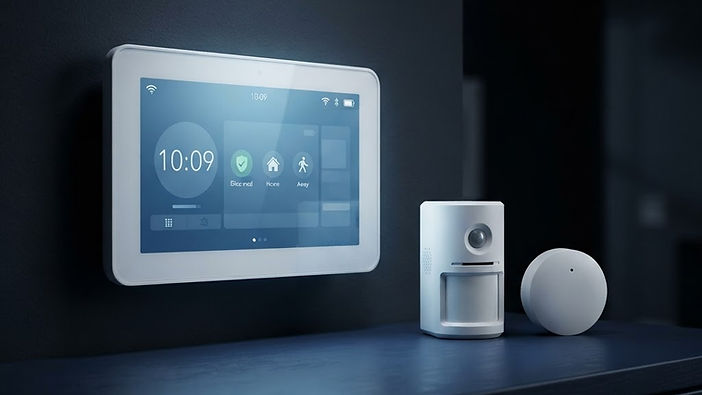
Most security systems do not stop working. They just fall behind, one small gap at a time, until the day you need them and realize they were never really keeping up. When we walk a home in the Little Falls area, these are the five signs we spot most often.
1. You cannot see it from your phone
If your only way to check on your home is standing at the keypad, your system is behind. The modern expectation is simple: arm it, disarm it, and see what is happening from your phone, whether you are at work in St. Cloud or on vacation. If you have to call a neighbor to check on the house, that is the sign.
2. It still depends on a phone line
Older panels often relied on a landline to send alerts. When that line is cut, unplugged, or simply no longer there, the alarm has no way to notify anyone. Newer systems communicate over cellular or internet, and they keep working when a wire does not.
3. Nobody is actually watching it
A siren that goes off in an empty house only helps if someone hears it. If your system is not professionally monitored, or the company that used to monitor it is impossible to reach, a break-in, fire or water leak can go unnoticed for hours. With 24/7 professional monitoring, an operator verifies the alarm, tries to reach you, and dispatches help when it is needed.
4. Your devices do not talk to each other
A camera from one brand, a lock from another, a garage opener from a third. Each one has its own app and its own login, and none of them is watching the same front door. When your cameras, smart locks, garage door and panel all work together in the Alarm.com app, arming the system actually means something.
5. You cannot remember the last time it was tested
Sensors drift. Batteries die. A door that no longer closes tightly can leave a contact sensor permanently open, and a system that is not tested is a system you are guessing about. Part of an upgrade is simply having someone verify every entry point actually reports.
What an upgrade actually looks like
It is usually smaller than people expect. In most homes we can take over, modernize and adapt the existing system instead of replacing everything, which keeps the cost down and keeps the parts that already work.
A typical upgrade includes:
- A modern touchscreen panel
- Motion and glass-break coverage on the entry points that matter
- 24/7 professional monitoring so someone is actually watching, from $30/mo for homes and $35/mo for businesses
- The industry-leading Alarm.com mobile app, included with monitoring
- Optional add-ons such as cameras, smart locks and garage door control
Switching from another provider? Your first three months of monitoring and your installation are free with a 36-month agreement. Equipment lease-to-own is available too, so you are not looking at a large upfront bill.
If you are not sure where your system stands, that is exactly what a free assessment is for. We will walk the property with you, tell you honestly what still works, and give you a straight price on the rest.
Next step
Want this level of protection at your place?
Free, no-pressure assessment for your home or business. We’ll walk it with you and give you a straight price.